Did Someone Block You on Snapchat or Just Remove You?
By the View Snapchat Stories team · · 1 min read
Short answer: If you can’t find them in search at all, you’re probably blocked (or their account is gone). If you can find them but your Snaps say Pending, they removed you.
Blocked vs removed vs deleted
| Sign | Blocked | Removed | Account deleted |
|---|---|---|---|
| Shows in your search | No | Yes | No |
| Old chat still in your list | Usually gone | Yes | Gone |
| Sending a Snap | Not possible | Shows “Pending” | Not possible |
| Their public profile on the web | Still there | Still there | Gone |
The four tests
- Search their username in Snapchat. Not found → blocked or deleted. Found → go to test 2.
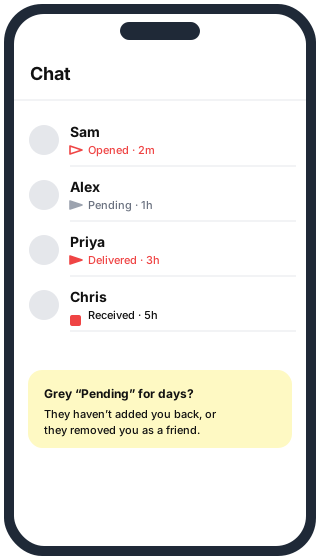
- Send a Snap. If it stays on a grey “Pending” arrow, they removed you (or never added you back).
- Check from another account. Ask a friend to search the username. If your friend finds them and you can’t, you’re blocked.
- Check the web. If they had a public profile, look the username up in our Username Finder. If the public profile still exists, the account wasn’t deleted, so not finding them in the app points to a block.
What happens to old messages
Blocking usually removes the conversation from both chat lists. Saved messages may stay on the side of the person who saved them. Removing someone as a friend leaves the chat in place.
Questions
Does Snapchat tell you when you’re blocked? No. There is no notification for blocking or removing.
Can they see my Story after removing me? They can still see anything you post publicly. Friends-only Stories stop reaching them.
Will they know I checked? Not if you check their public profile on the web without logging in.