
Snapchat Story Viewer & Downloader
View public Snapchat stories without logging in, without the app, and without showing up on the viewer list.
Story DownloaderProfile ViewerSpotlight DownloaderVideo DownloaderUsername FinderFollowers Count
- Anonymous
- No login
- Free
- No app needed
Works with public profiles only: creators, brands and anyone who turned on a Public Profile. Friends-only stories can’t be seen by anyone outside the friends list, including us.
How the Snapchat Story Viewer works
Four steps, about 20 seconds from username to saved video. The pictures are from this site on a phone.
-
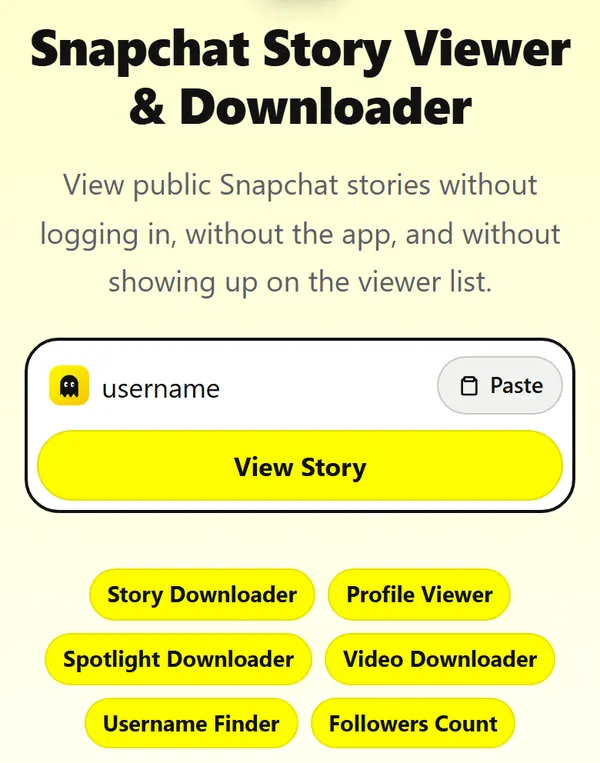
Copy the username
Open their Snapchat profile and copy the username, the grey text under their name. Or tap Share on the profile and copy the link. Paste it into the box at the top of this page and press View Story. Profile links (snapchat.com/add/…) and Spotlight links work too.
-
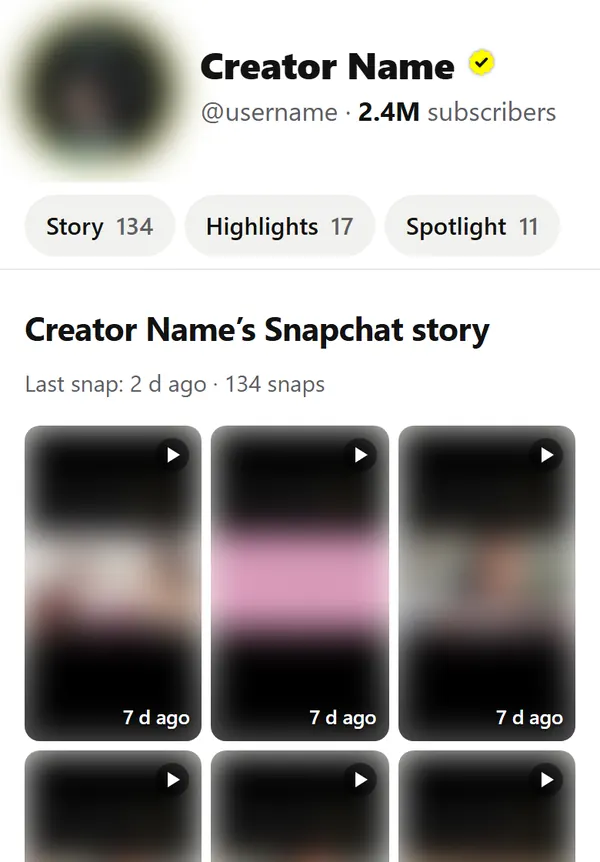
Their public profile opens
You see everything they made public, on one page: photo, subscriber count, the live story as a grid, saved highlights and Spotlight videos. The number on each tab is how many snaps it holds. Nothing to sign into, and it usually takes 1–3 seconds.
-
Tap a snap to watch
Snaps play full screen, one after another, the way they do in the app. Tap the right side to skip, the left side to go back, hold your finger down to pause, swipe down to close. The bars at the top show where you are in the story.

-
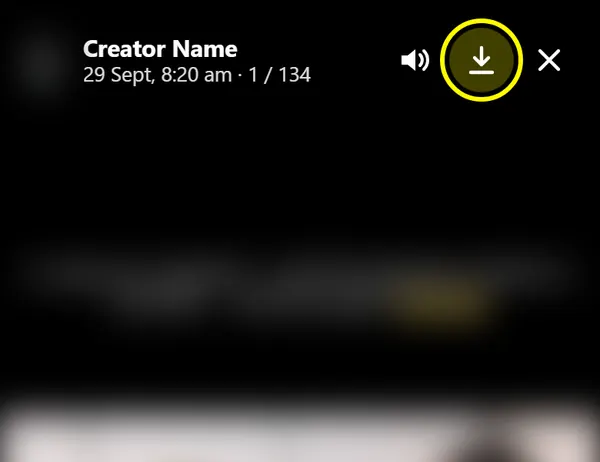
Press Save to download
The arrow at the top right saves the snap you are watching: videos as MP4, photos as JPG, named after the account. On iPhone, if Safari opens the video instead, tap Share and then Save Video.
Why use this Snapchat Story Viewer?
Anonymous viewing
You never sign in here, so there is no Snapchat account for the viewer list to show. Snapchat only sees our server asking for a public page. Nothing about you is attached to that request.
No Snapchat app
It runs in any browser: Chrome, Safari, Firefox, Edge, Samsung Internet. Nothing to install and no permissions to grant. Skip the “Snapchat viewer” APKs going around; you can’t check what they do with your phone.
No login, no sign-up
We never ask for a Snapchat password, an email or a phone number. Anyone who asks for your Snapchat login to “unlock” stories is after your account.
Fast pages
The page itself is about 25 KB to download, and ads load only after it’s ready, so the search box never waits for them. Profiles opened in the last 5 minutes load instantly from our cache, and videos stream straight from Snapchat’s own servers.
Download any snap
Every story snap, highlight and Spotlight video has a Save button. Files keep the quality Snapchat serves on the web, with no watermark added, and are named after the account.
Every country, every device
No VPN and no region blocks. It works on Android, iPhone, iPad, Windows and Mac, and you can add it to your home screen so it opens like an app.
Why people view Snapchat stories anonymously
Most reasons are ordinary. These are the ones people tell us about most:
- Keeping up with a creator or celebrity without adding them or making an account
- Checking what a competitor or another brand posts, without appearing in their story views
- Looking at a profile before deciding to add someone
- Parents checking the public accounts their children follow
- Journalists and researchers following public figures
- Saving your own public story before it expires, from a computer
Only public posts are shown here. Watching them follows the same rules as opening the profile in a browser.
Who uses a Snapchat story viewer?
Social media managers use it to see what other brands in their market post on Snapchat each day. It is quicker to open five profiles in five browser tabs than to scroll through them in the app.
Creators use it to study what works for accounts in their niche: how long their stories run, how often they post Spotlight videos, and which highlights they keep.
Most people simply want to watch a story without opening the app, or on a computer, where Snapchat has no full story player.
What you can and can’t see
Snapchat has five kinds of posts. Only the public ones are on the web.
| Type | Visible here? | How long it stays |
|---|---|---|
| Public story | Yes | Usually 24 hours; some creators’ stories stay up for several days |
| Saved highlights | Yes | Until the owner removes them |
| Spotlight videos | Yes | Until the owner removes them |
| Friends-only story | No | 24 hours |
| Private snaps and chats | No | Not stored on the web |
Profile data is refreshed every 5 minutes. A snap posted a minute ago may take up to 5 minutes to appear.
When it doesn’t work
- “No public profile” for someone you know has stories
- Their stories are set to Friends or My Friends. Only Public Profile stories show on the web.
- The profile loads but the story section is empty
- They haven’t posted recently and older snaps have expired. Check Highlights: many creators save older stories there.
- A video won’t play
- Snapchat’s video links expire after a while. Reload the page to get fresh ones.
- Save opens the video instead of downloading it (iPhone)
- Tap the Share icon in the video, then Save Video. Safari blocks direct downloads of some files.
- The username isn’t accepted
- Remove spaces. Usernames are 3–15 characters: letters, numbers, dots, dashes and underscores. Display names won’t work.
Latest guides
 Privacy & safetyDid Someone Block You on Snapchat or Just Remove You?Blocked, removed or deleted all look similar at first. Four quick tests tell them apart.
 Privacy & safetyDoes Snapchat Notify When You Screen Record?Screen recording a Snap, Story or chat is reported just like a screenshot. Public Stories you watch without logging in are the exception.
 Privacy & safetyDoes Snapchat Notify When You Screenshot a Story?Yes for Stories, Snaps and chats you open while logged in. No for public Stories you watch without an account. Here’s the full breakdown.
 Privacy & safetyDoes Snapchat Notify When You Save a Chat?No push notification, but they can see it: a saved message turns grey for both of you. Here’s what each action shows.
 Privacy & safetyWho Viewed My Snapchat Profile? What Snapchat Actually ShowsSnapchat never shows who visited your profile. It shows who watched your Story and, for public profiles, totals. Here’s exactly what you get.
 Creating contentPortrait Mode on Snapchat: Blur Your Background on iPhone and AndroidSnapchat has no portrait button of its own. On iPhone the blur comes from iOS; on Android it comes from Lenses. Here’s how to use both.
About View Snapchat Stories
View Snapchat Stories is a free web tool for public Snapchat content. It shows what a public profile has posted (the Story, saved Highlights and Spotlight videos) in a fast, full-screen player that works on any phone or computer, and lets you save any snap.
It only uses what Snapchat already publishes on its own website. We never ask for a Snapchat login, we can’t see private or friends-only Stories, and we don’t store anyone’s photos or videos. Account owners can ask us to remove their profile page at any time.
FAQ
Will the person know I watched their story?
No. You aren’t logged in to Snapchat on this site, so no name or account goes on their viewer list. Snapchat sees a request from our server for a public page, nothing more.
Can I view private Snapchat stories?
No. Friends-only stories are only sent to people on the owner’s friends list, inside the app. No website can show them, and sites that claim to are scams.
Do I need a Snapchat account?
No. Everything shown here is public on snapchat.com and opens without signing in. You don’t need an account on this site either.
How do I download a Snapchat story?
Open the profile, tap the snap, then press Save. Videos download as MP4 and photos as JPG. On iPhone, if the video opens instead, use Share → Save Video.
Can I download Spotlight videos?
Yes. Paste the Spotlight link into the box, or open the creator’s profile and go to the Spotlight section. Each video has a Save button.
Is it free?
Yes. No sign-up, no card details and no download limit for normal use.
Why does a profile show “no public profile”?
The username may be misspelled, the account may not have a public profile, or it may have been renamed, deleted or banned.
How recent are the stories?
At most 5 minutes old. We keep a copy of each profile for 5 minutes so popular pages load fast, then fetch it again.